How it works
The problem
Most macOS apps speak CoreAudio, not JACK. And ever since macOS Catalina removed the old AudioHardwarePlugIn API in October 2019 (the change that broke the original JackRouter and left it abandoned on modern macOS), there has been no supported way to take Safari’s playback, a video call’s microphone, or a DAW’s helper process and route it through a JACK graph. CoreAudio apps and JACK have lived in separate worlds.
JackMoebius changes that: it bridges the two, per application and in both directions, without touching the app itself.
The pieces
JackMoebius is two components (plus a CLI):
- The driver: an
AudioServerPlugInvirtual audio device (JackMoebius). It runs insidecoreaudiod, in userspace: no kernel extension, no SIP changes. It presents the routing endpoints that apps and the daemon attach to. - The daemon:
jackmoebiusd, a Swift process that captures the driver’s audio, registers per-app clients in JACK, and keeps everything in sync. It runs only while a JACK server is up and self-stops when JACK goes away. - The CLI:
jackmoebius, a control tool that talks to the daemon over a local socket (the same IPC protocol a GUI like JackMate uses).
The forward path: an app’s output into JACK
When you expose an app:
- The app’s CoreAudio output is routed onto the JackMoebius device.
- The daemon captures it and publishes a JACK client box for that app, with output ports on a reserved pair of channels.
- Anything in your JACK graph can now read the app’s audio: patch it into a recorder, an effect, a DAW, another app.
The channel reservation is persistent: an app that stops and restarts audio comes back on the same channels, so a saved patchbay restores itself.
The system monitor mix
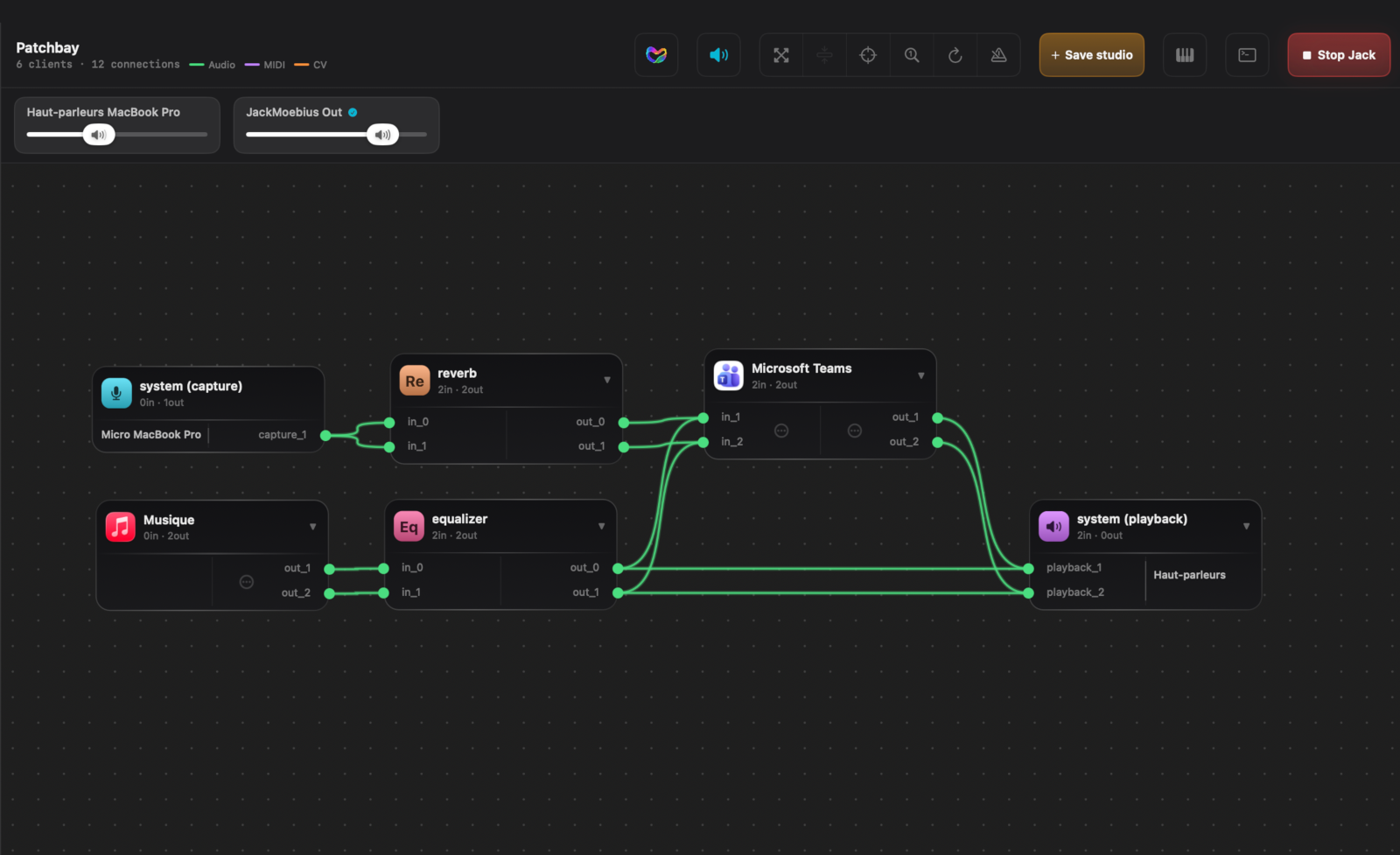
Alongside the per-app boxes, the device’s system mix (everything playing through JackMoebius) is exposed as monitor_L / monitor_R, auto-connected to system:playback so you still hear your Mac normally while its audio also flows into JACK.
Volume: two gain stages that stack
Loudness in a JackMoebius chain runs through two independent gain stages, and they multiply:
- JackMoebius Out: each exposed app plays into a JackMoebius output device that carries its own CoreAudio volume.
- The output JACK feeds:
system:playbackdrives your real output device (interface or speakers), which has its own volume too.
Turn either one down and the app gets quieter, which is easy to mistake for a routing problem. That’s why JackMate puts these volumes on screen: a slider for the output JACK feeds plus a per-app slider for every exposed app, so you balance both stages finely and fast, in one place, with no trip to System Settings or Audio MIDI Setup.
The reverse path: JACK into an app’s input
The bridge is bidirectional. Exposing an app’s input creates a dedicated capture device, JackMoebius In (App), fed by JACK. The app selects it as its microphone, and now JACK audio becomes the app’s input: process a live instrument through your JACK effects and send the result straight into a video call.
Event-driven, no polling
The daemon watches CoreAudio (apps launching/quitting, starting/stopping audio, switching devices) and JACK, and reconciles the graph as things change. It exposes a persistent subscribe channel over the IPC socket that pushes invalidations when something moves, so a front-end stays in sync without polling, and knows instantly if the daemon stops (the connection closes).
Lifecycle
Daemon running ⟺ JACK up. Start a JACK server (via JackMate), activate JackMoebius, and the devices appear in the system selectors; stop JACK and they vanish. The daemon is normally launched through a per-user LaunchAgent (which JackMate kick-starts), so it runs in the right session with its own identity.
→ Next: the IPC protocol and the CLI reference.